700 bdt bet Why use the app?
Mobile internet is so widely accessible in Bangladesh that most people handle everything on their phones. The 700 bdt bet mobile app was built with that in mind. No need to open a browser or remember your password — log in once and the app takes care of the rest.
One of the app's biggest strengths is how lightweight it is. At just a few megabytes, it runs well even on older smartphones, so low storage won't hold you back. Data usage is also noticeably lower than the browser, since the app preloads much of its content.
Open the 700 bdt bet app and you'll find all your games in one place — slots, Live Casino, fish games, and Sports Betting, all without jumping between sites. A single tap from the bottom menu takes you to any section. Plus, push notifications keep you instantly updated on new offers and tournaments.
Good to know: The 700 bdt bet app is available on both Android and iOS. Android users can download the APK file directly, while iOS users can install it straight from their browser.
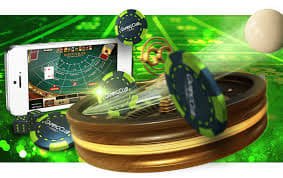
App's Key Features
The 700 bdt bet app includes features that aren't available on the browser version. Here's what sets it apart.
Fast Loading
Once installed, the game lobby loads almost instantly. Games run smoothly even on a slow internet connection.
Biometric Login
Log in instantly with fingerprint or face unlock — no need to type your password.
Push Notifications
New bonuses, tournament launches, deposit confirmations — all alerts delivered straight to your phone.
Dark Mode Default
Dark theme is set as the default for eye comfort, so your eyes won't get tired during late-night sessions.
Offline Mode
Some games can be played in demo mode without an internet connection. Your progress syncs once you're back online.
One-Tap Deposit
Your previous payment method is saved, so next time you can deposit with just one tap.
Live Game Streaming
Watch Live Casino dealers stream directly in the app and place live bets in HD quality.
Live Score Tracker
During Sports Betting, live match scores update in real time right inside the app.
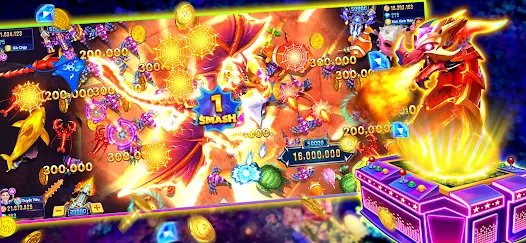
Which devices work?
The 700 bdt bet app is available on both of the most widely used mobile operating systems in Bangladesh.
Android
Download the APK file directly — no Google Play Store required.
- Android 6.0 or above
- Minimum 2 GB RAM
- 80 MB Free Storage
- Unknown sources must be enabled
- Stable Internet Connection
IOS
Add directly to your home screen from Safari — even easier than a download.
- iOS 13.0 or above
- iPhone 7 or newer
- Use the Safari browser
- "Add to Home Screen" option
- Stable Internet Connection
For PC Users: The web version of 700 bdt bet works just as well on a computer, with full support across all major browsers — Chrome, Firefox, and Edge.
Installing the app Steps
Installing the 700 bdt bet app on Android is straightforward. Just follow the steps below.
Create Account
Start by registering on 700 bdt bet. Have your login details ready.
Download APK
Download the Android APK file from the app page. The file is around 80 MB.
Enable Unknown Sources
Go to Settings → Security → Unknown Sources and turn it on. You can turn it back off after installation.
Install the APK file
Tap the APK file in your Downloads folder. If prompted for permission, tap Allow.
Log In
Open the app and log in with your username and password. You can also set up biometric login.
Start Playing
Make a deposit and pick your favorite games. VIP points start accumulating right away.
The process for iOS users is even simpler. Open the 700 bdt bet site in Safari, tap the Share button, and select "Add to Home Screen." From then on, it launches just like an app directly from your home screen.

App's Technical Specifications
A quick look at the technical specifications for the 700 bdt bet app.
| Topic | Android | IOS |
|---|---|---|
| Minimum OS | Android 6.0+ | IOS 13.0+ |
| File Size | ~80 MB | PWA (no download needed) |
| Minimum RAM | 2 GB | 2 GB |
| Installation Method | APK Sideload | Safari Add to Home Screen |
| Push Notifications | ✔ Available | ✔ Available |
| Biometric Login | ✔ Available | ✔ Available |
| Auto Update | Manual APK | ✔ Automatic |
| Data Encryption | SSL/TLS | SSL/TLS |
Using the app Experience
Regular users of the 700 bdt bet app say it feels much more comfortable than using a browser. This is especially true for fish games — the phone's touchscreen responds directly, letting you aim at fish with your finger in a way that just isn't as smooth with a mouse.
The app becomes even more useful when you're doing Sports Betting. Odds shift every moment during a live match, and the app shows those changes in real time. Push notifications make sure you never miss a good odds window — you get alerted before it's gone.
Deposits and withdrawals are also much easier on the 700 bdt bet app. Whether you use mobile banking or bank transfer, both can be done directly within the app. The back-and-forth of switching to your banking app and coming back is a thing of the past.
Many users wonder how secure the app really is. All data on the 700 bdt bet app is protected with SSL/TLS encryption. Login credentials stored on your phone are kept in encrypted form, and biometric login ensures that even if someone else picks up your phone, they won't be able to access your account.
The 700 bdt bet app team pushes regular updates, each bringing new games and performance improvements. Android users receive update notifications from within the app and can easily download the latest APK.
Security Tips: Only download the APK from the official 700 bdt bet website. Downloading from third-party stores or unauthorized links is not safe.

Using the app A Few Tips
-
Download over Wi-Fi
Downloading the APK over Wi-Fi instead of mobile data will save you both time and data. -
Keep Notifications On
With push notifications enabled, you're less likely to miss flash bonuses or limited-time offers. -
Set Up Biometric Login
Set up biometric login right after your first sign-in. It improves security and makes logging in faster. -
Update Regularly
Install updates as soon as they're available. Some games may not work properly on older versions. -
Keep Storage Clean
Keeping at least 500 MB of free storage on your phone helps the app perform at its best. -
Turn Off Battery Saver Mode
Battery saver mode can disrupt your network connection during live games or Sports Betting.
About the app Frequently Asked Questions
Below are answers to the most common questions from new and existing members about the 700 bdt bet app.